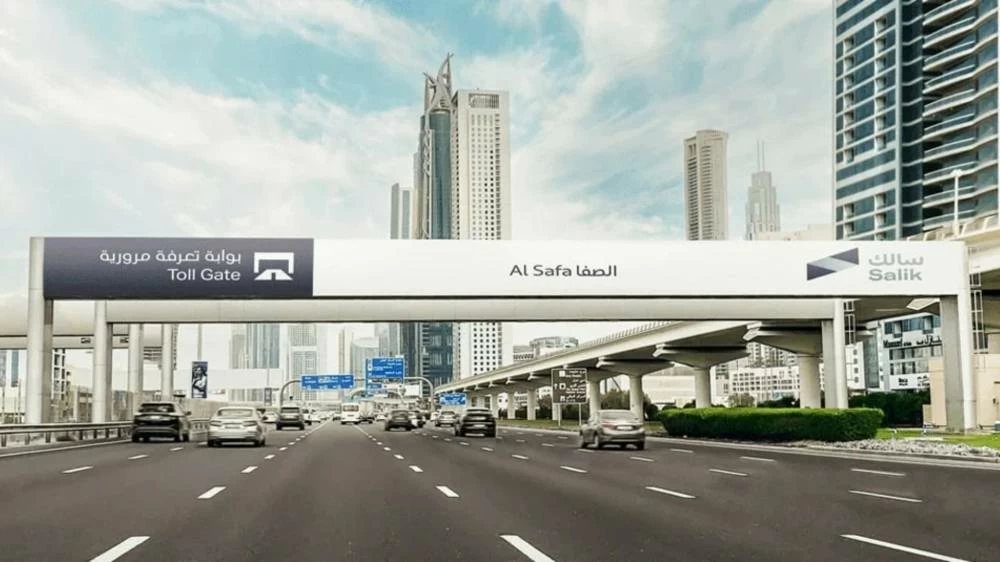
Dubai Salik guide 2026: Tag costs, toll rates, gate locations and how to recharge
Everything drivers need to know about buying and using a Salik tag, variable toll pricing and the penalties for insufficient balance or missing tags

Dubai: If you’re a newcomer to Dubai, you may have noticed toll gates along major routes like Sheikh Zayed Road. Before you begin driving regularly in the city, ensure you’re prepared to access every route, with a valid Salik tag.
Here’s everything you need to know about Salik and how to buy and recharge your tag.
What is Salik?
Salik, meaning ‘open’ or ‘clear’ in Arabic, is Dubai’s road toll system that operates without booths or barriers. To drive through a toll gate, you will need to ensure your car has a Salik tag or sticker on its windshield – this is an electronic toll tag linked to your vehicle, with a prepaid balance.
Driving through a Salik toll gate without a tag violates traffic rules, and garners penalties unless you are able to buy and activate one within the permitted timeframe.
Where are Salik toll gates located?
Currently, there are 10 Salik toll gates in Dubai, located in the following areas:
Al Safa North (Sheikh Zayed Road)
Al Safa South (Sheikh Zayed Road)
Business Bay Crossing (Al Khail Road)
Al Barsha (Sheikh Zayed Road)
Al Garhoud Bridge (Sheikh Rashid Road)
Al Maktoum Bridge (Umm Hurair Road)
Al Mamzar North (Al Ittihad Road)
Al Mamzar South (Al Ittihad Road)
Airport Tunnel (Beirut Street)
Jebel Ali (Sheikh Zayed Road)
Who needs to buy a Salik tag?
All vehicle owners, including those who drive commercial or private vehicles registered in UAE, can buy and use a Salik tag.
According to Salik’s website, if you’re visiting from another country with your own vehicle, you must purchase, activate and stick a Salik tag on your vehicle. However, if you’re using a car rental service in Dubai, the vehicles usually come equipped with Salik tags, and you will be asked to pay for Salik usage once your car lease has ended.
How do Salik tags work?
Here are key features regarding Salik tags that vehicle owners or drivers should note:
- Every vehicle must have its own Salik tag; the tags are not transferable to other vehicles.
- Once you receive your tag, ensure it is correctly installed on your windshield to avoid any violations. You can follow installation instructions on Salik’s website: salik.ae/en/salik-services/my-tag/installation-instructions.
- After buying a Salik tag, set up your digital account via the Salik website or smart app – this gives you access to useful features, like monitoring your Salik usage, and topping up from your phone.
- One Salik account can host multiple tags, so if you would like to manage the usage and top-up for multiple vehicles, you can do so easily, under one convenient dashboard.
- Each time you drive through a Salik toll gate, Radio Frequency Identification (RFID) technology detects your vehicle and scans your Salik sticker tag. The toll fee is automatically deducted from your prepaid toll account.
- You don’t need to stop or slow down when you pass through a Salik toll gate. The free flow tolling system works automatically.
What is the cost of a Salik tag?
Purchased online: Dh122.5
This includes:
- Salik tag: Dh52.5 (inclusive of VAT)
- Prepaid toll balance added to the customer’s Salik account upon tag activation: Dh50
- Delivery charges: Dh20 (inclusive of VAT)
Purchased at one of Salik’s authorised sales agents: Dh102.50
This includes:
- Salik tag: Dh52.5 (inclusive of VAT)
- Prepaid toll balance added to the customer’s Salik account upon tag activation: Dh50
What are the violations and penalties of driving without Salik?
Driving without a Salik tag: According to Salik’s website, if you drive through a toll gate without a Salik tag on your vehicle, you have a grace period of 10 working days (from the date and time of your first trip), to purchase, activate and stick a Salik tag on your vehicle. Alternatively, you can add the new tag to your existing Salik account, if you have already bought one.
Failure to do so leads to the following violations and penalties. Note that these fines are imposed after the 10-day grace period:
- First trip through Salik toll gates: Dh100
- Second trip: Dh200
- Each subsequent trip: Dh400
All the above-mentioned violations are limited to one violation per day per vehicle.
Driving with insufficient balance: If you pass through a toll gate with insufficient balance in your account, you have a grace period of five working days from the trip date to recharge your account. Failure to do so results in a violation of Dh50 incurred each day (if trips were made) per vehicle.
What is the Salik tolling rate?

Salik operates with variable toll rates, which means you must pay a different amount during peak, low-peak, and off-peak hours.
Monday to Saturday
Peak timings: Dh6 per trip + VAT
6am to 10am
4pm to 8pm
9am to 5pm (Ramadan)
Low-peak timings: Dh4 per trip + VAT
10am to 4pm
8pm to 1am
7am to 9am (Ramadan)
5pm to 2am (Ramadan)
Off-peak timings: Dh0
1am to 6am
2am to 7am (Ramadan)
Sundays (except for public holidays and public events)
Peak timings: Dh4 per trip + VAT
6am to 10am
4pm to 8pm
9am to 5pm (Ramadan)
Low-peak timings: Dh4 per trip + VAT
10am to 4pm
8pm to 1am
7am to 9am (Ramadan)
5pm to 2am (Ramadan)
Off-peak timings: Dh0
1am to 6am
2am to 7am (Ramadan)
Effective June 1, 2026, a 5% value added tax (VAT) also applies to all toll transactions.
How to buy a Salik tag
You can buy a Salik tag through the Salik website, the Smart Salik app, and authorised petrol stations such as Emarat, ENOC and ADNOC. Follow these steps to buy your Salik tag, so that you can access all of Dubai’s roads.
Buy a tag via Salik’s website or smart app
- Visit salik.ae or download the Smart Salik app via the Apple App Store or Google Play Store.
- Under ‘Salik Services’, select ‘Purchase a tag’.
- Enter the registration details, including your vehicle’s Traffic Code Number (TC Number), located on your vehicle’s registration card or Mulkiya. Add the emirate, plate category, plate code and number.
- Next, enter your personal details, including the primary mobile number attached to your Salik account, as well as your email address.
- Verify your contact information through a one-time password (OTP) sent to your registered mobile number.
- Once confirmed, enter a delivery address and complete the payment.
When you purchase your tag through the Salik website or smart app, it will be activated automatically once you receive an SMS confirming successful payment. The tag is usually delivered within five working days.
Buy a tag via a petrol station or authorised sales agent
- Visit a petrol station in Dubai, such as ENOC, ADNOC or Emarat.
- Request a Salik tag. Pay the fee.
- The attendant will provide you a unique tag, which you can immediately stick onto your car’s windshield.
However, you will need to activate the tag manually before passing through a toll gate. Activation can be done through Salik’s website or app, the RTA Dubai app, or a Salik call centre (800-Salik), and takes under five minutes.