Emirates ID linked to the wrong number? Here's how you can change it.

Step-by-step guide to updating the mobile number and email linked to your Emirates ID through ICP's website or app, including costs and requirements

By Huda Tabrez Published: 2026-06-15T10:53:00+04:00 3 min read
If you have changed your primary mobile number, or if you find out that the number linked to your Emirates ID is not correct, find out how you can update your details in the system of the Federal Authority for Identity, Citizenship, Customs and Port Security (ICP).
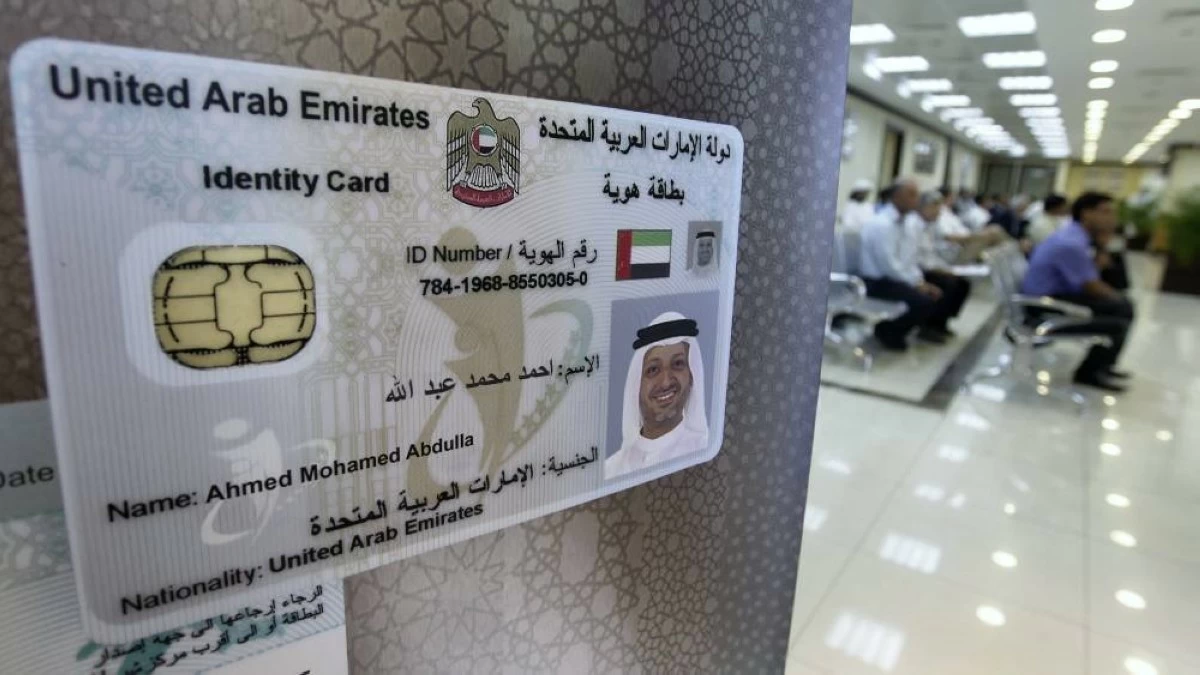
File photo used for illustrative purposes only.
If you have changed your primary mobile number, or if you find out that the number linked to your Emirates ID is not correct, find out how you can update your details in the system of the Federal Authority for Identity, Citizenship, Customs and Port Security (ICP). File photo used for illustrative purposes only.

Dubai: If your Emirates ID is linked to a number that you don’t have access to, it can block access to many critical government services. Whether you are renewing your residence visa, applying for banking services or completing business transactions, verifying your identity often involves providing an OTP (one-time password) that is sent to your mobile.

So, if you have changed your primary mobile number, or if you find out that the number linked to your Emirates ID is not correct, here is how you can update your details in the system of the Federal Authority for Identity, Citizenship, Customs and Port Security (ICP).

ICP website

One of the easiest ways to complete the process is through the ICP website – www.icp.gov.ae

Through the website, you can change the mobile number and email address that is linked to your Emirates ID, which will allow you to receive notifications from the ICP on when your visa is due for renewal and also be able to get the OTPs that are sent when you access government services.

If you want to change the details linked to the Emirates IDs of any of your dependents (family members or domestic workers under your sponsorship), this can also be done through the same service. Here are the steps to follow:

1. Visit www.icp.gov.ae

2. Click on ‘services’ in the top menu and select ‘interactive services’.

3. Scroll down to the ‘data update’ service and click on ‘start service’.

4. You will be asked to sign in with your UAE PASS.

5. You will then be redirected to your personal dashboard. Scroll down to ‘Browse smart services’.

6. Under ‘department’, you will see the name of the residency authority of your emirate. For example, if your visa was issued in Dubai, you will see ‘Dubai – Federal Authority for Identity and Citizenship’. Click on the department.

7. Next, you will see three options for service categories. Select ‘Other services’.

8. Next, select ‘personal information’ and then ‘update personal information’.

9. Once you are on the service page, select who you wish to change the number for – yourself, or one of your dependents who are under your sponsorship.

10. Now enter the mobile number you wish to use for all alerts and messages linked to your Emirates ID.

11. Click on ‘send one-time password’ and enter the password you receive on your number.

12. Enter your email address. At this stage, you can also enter a new email address, if you wish to do so. Click on ‘send one-time password’ and enter the password you receive on your email address for verification.

13. Enter details of your physical address, like your house number, street name and emirate.

14. Click on ‘next’.

15. Review your application and make sure your details have been entered correctly.

16. Click on ‘next’ and make the payment using your credit or debit card.

Once the payment has been made, the data is updated on the ICP system automatically.

ICP app

You can also update your personal information linked to your Emirates ID through the ICP smartphone application ‘UAEICP’, which is available for Apple and Android devices.

1. Open the UAEICP app and log in using your UAE PASS.

2. Tap on ‘services’ in the panel on the bottom of the screen and then select ‘other serivces’.

3. Tap on ‘update personal info’.

4. You will be taken to the service page. Select who you wish to change the number for – yourself, or one of your dependents who are under your sponsorship.

5. Now enter the new mobile number and click on ‘next’.

6. Click on ‘send one-time password’ and enter the password you receive on your number.

7. Enter your email address. At this stage, you can also enter a new email address, if you wish to do so. Click on ‘send one-time password’ and enter the password you receive on your email address for verification.

8. Enter details of your physical address, like your house number, street name and emirate.

9. Tap on ‘next’ and review your application, making sure all details have been entered correctly.

10. Finally, make the payment using your credit or debit card.

Once the payment has been made, the data is updated on the ICP system automatically.

Cost

The service costs AED 50 and the data is automatically updated on the system once the payment is made.